Block 600 and 809 calls on iPhone (iOS) with ChaoSPAM



Your phone rings. You’re in the middle of an important meeting, having dinner with your family, or just trying to relax on a Saturday morning. You glance at the screen: unknown number. Or worse, a number starting with “600” or “809.”
You answer, and… silence. Or a robotic recording. Or a persistent salesperson trying to sell you a plan you’ve already rejected ten times.
If this sounds familiar, you’re not alone. Spam calls have become a modern-day plague. They’re not just annoying; they interrupt our concentration, cause stress, and even expose us to potential scams.
For a long time, we felt the only option was to resign ourselves to it or keep our phones on perpetual silent. But we believe your phone should be a tool for connecting with the people you care about, not a constant source of interruptions.
Say Hello to ChaoSPAM
Today, we’re incredibly excited to announce the official launch of ChaoSPAM for iOS.
ChaoSPAM was born from a simple need: wanting to regain control over who can ring our phone. It’s an app designed with a single purpose: to automatically, silently, and efficiently block unwanted calls.
Why is ChaoSPAM different?
We know there are other apps on the market. But ChaoSPAM was built with simplicity, efficiency, and above all, your privacy in mind.
Here’s what makes us unique:
Specialized Focus on Chile 🇨🇱 If you live in Chile, you know that the biggest spam culprits often come from specific area codes. ChaoSPAM includes advanced rules to automatically identify and block persistent numbers starting with 600, 809, and other patterns frequently used by aggressive sales and debt collection call centers in the country.
Privacy First: We Don’t Want Your Data 🛡️ Many blocking apps work by uploading your contact list to their servers. We DON’T do that. ChaoSPAM works locally on your device. Your contact list, call history, and personal information never leave your phone. Your protection is yours, and so is your data.
Silent and Efficient Call Blocking ⚡ Once activated, ChaoSPAM works in the background. When a call comes in from a number identified as spam, your phone won’t even ring or light up. The call is blocked instantly. We don’t drain your battery or slow down your iPhone.
100% Free. We believe peace of mind shouldn’t come at a price. ChaoSPAM is completely free to download and use.
How does it work? (It’s very easy)
We designed ChaoSPAM to be a “set it and forget it” solution.
- Download the app from the App Store.
- Open the app and tap the button to Activate Protection.
- Your iPhone will prompt you to enable the extension. Simply go to Settings > Phone > Call Blocking & Caller ID and turn on the ChaoSPAM switch.
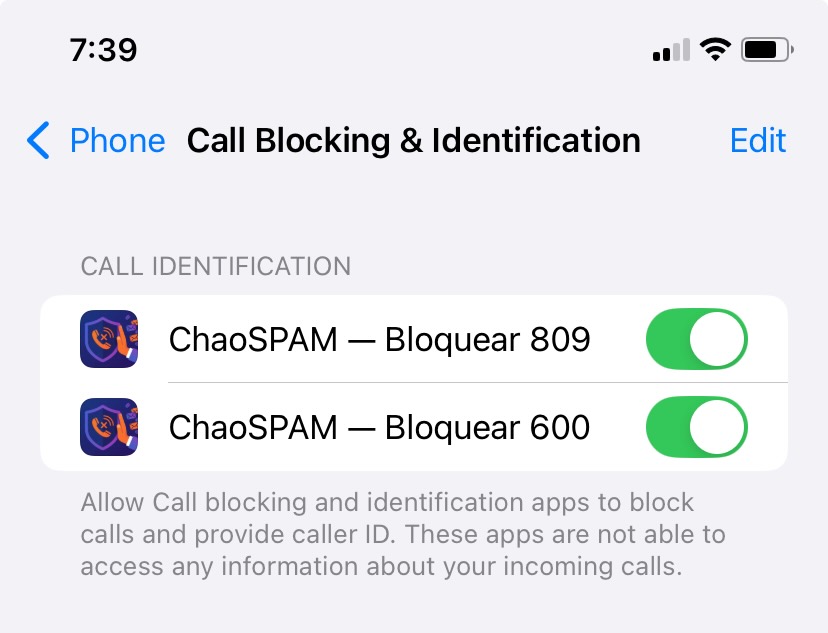
- Finally, enable the blocking of 600 and 809 numbers.

And that’s it! From that moment on, you’ll be protected from thousands of annoying numbers.
Take Back Control Today
Today’s launch is just the beginning. We’re committed to keeping our spam number database constantly updated to stay one step ahead of new telemarketing tactics and scams.
We’re so proud of what we’ve built and can’t wait for you to try it. We firmly believe that once you experience the peace of a spam-free phone, you won’t want to go back.
Download ChaoSPAM now on the App Store and start enjoying the silence.
You might also like
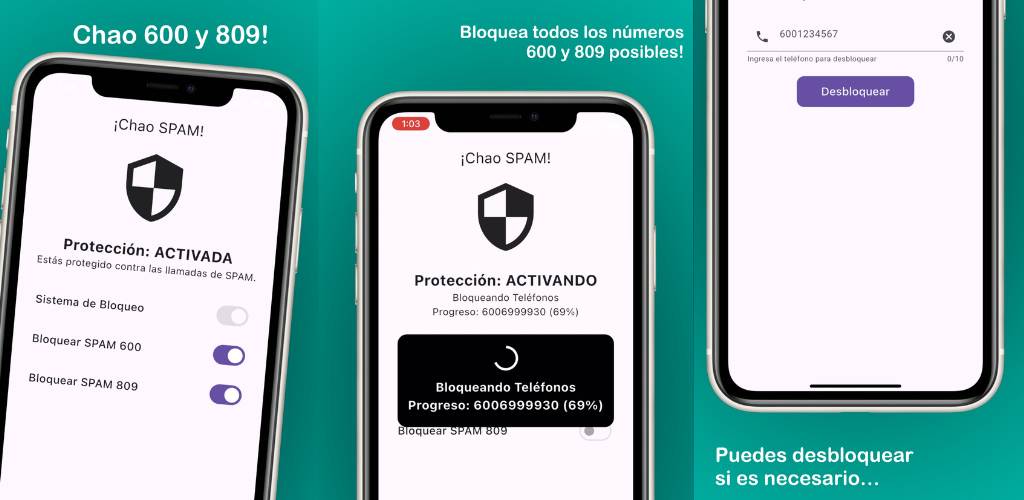
Block All 600 and 809 Calls in Chile – Complete Guide
How to block all calls starting with 600 or 809 in Chile, on any phone. Free complete guide with ChaoSPAM for iPhone and Android.
March 5, 2026
Block 600 and 809 Calls on iPhone (iOS)
Block 600 and 809 calls on iPhone automatically and for free. Step-by-step iOS guide using ChaoSPAM, the Chilean anti-spam app.
March 5, 2026
How to Block a Number on Movistar Chile: Step-by-Step Guide
Learn how to block a number on Movistar Chile from iPhone and Android. Device methods and ChaoSPAM for automatic spam blocking.
April 23, 2026