Block 600 and 809 Calls on iPhone (iOS)

If you have an iPhone and you’re fed up with calls from 600 and 809 numbers, this guide is for you. We’ll explain how to block 600 calls on iPhone automatically — no need to reject each number one by one — using ChaoSPAM, the free app designed specifically for Chile.
Why doesn’t iPhone block 600 and 809 by default?
iOS lets you block individual numbers from your contacts, but it has no native feature to block entire prefix ranges like 600 or 809. That means even if you block one call center number, they’ll call again tomorrow from a different number in the same range.
The 600 prefix is used by customer service and sales lines of companies (Entel, WOM, Movistar, Claro, etc.), while 809 is frequently used by debt collection agencies and aggressive telemarketing. Blocking them one by one is a losing battle.
The solution is to use a call blocking extension that iOS allows you to activate in system settings. ChaoSPAM uses exactly this technology.
What is ChaoSPAM?
ChaoSPAM is a free iPhone (iOS) app developed by ELCSoftware, built for the Chilean context. It automatically blocks calls from the 600, 809 and other spam prefixes without you having to configure anything manually.
- Works 100% locally: your contacts and calls never leave your device
- No extra battery drain
- Completely free
How to block 600 and 809 calls on iPhone, step by step
Step 1: Download ChaoSPAM from the App Store

Step 2: Open the app and activate protection
When you open ChaoSPAM for the first time, you’ll see a button to activate protection. Tap it to continue.
Step 3: Enable the extension in iPhone Settings
Your iPhone will redirect you (or you can go manually) to:
Settings > Phone > Call Blocking & Caller ID
Enable the ChaoSPAM toggle.
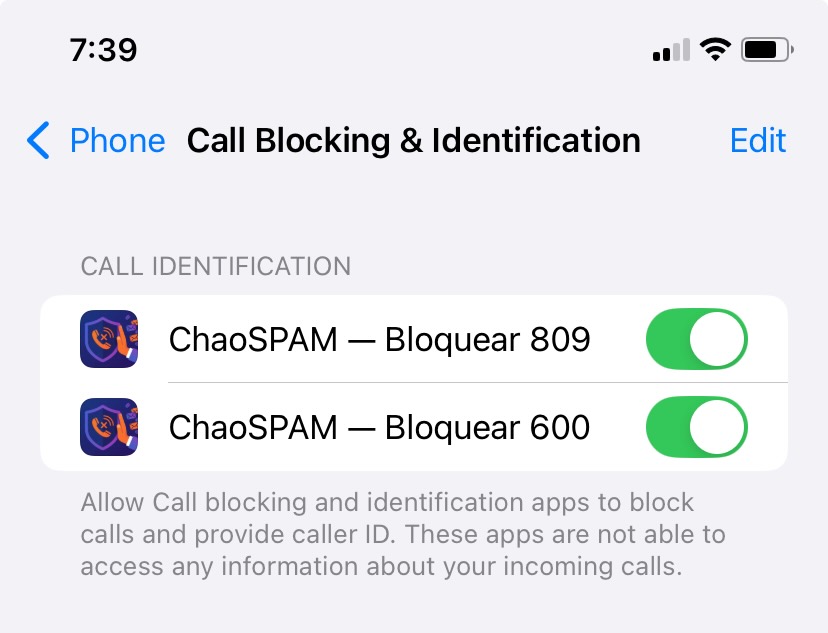
Step 4: Activate blocking for 600 and 809 prefixes
Return to the ChaoSPAM app and enable blocking for 600 and 809 numbers from the main screen.

Done. From this moment, any incoming call from a number starting with 600 or 809 will be silently blocked. Your iPhone won’t ring or light up.
What about legitimate calls from 600 numbers?
That’s a fair question. Some services you use (bank, pension fund, health insurer) may call from 600 numbers. If you need to receive calls from a specific number, you can whitelist it directly in the app.
However, the vast majority of 600 calls you receive without having requested them are spam. ChaoSPAM gives you peace of mind without constant interruptions.
Conclusion
Blocking 600 and 809 calls on iPhone is simple with the right tool. No subscription needed, no data sharing required. Download ChaoSPAM for free and take back control of your phone today.
You might also like
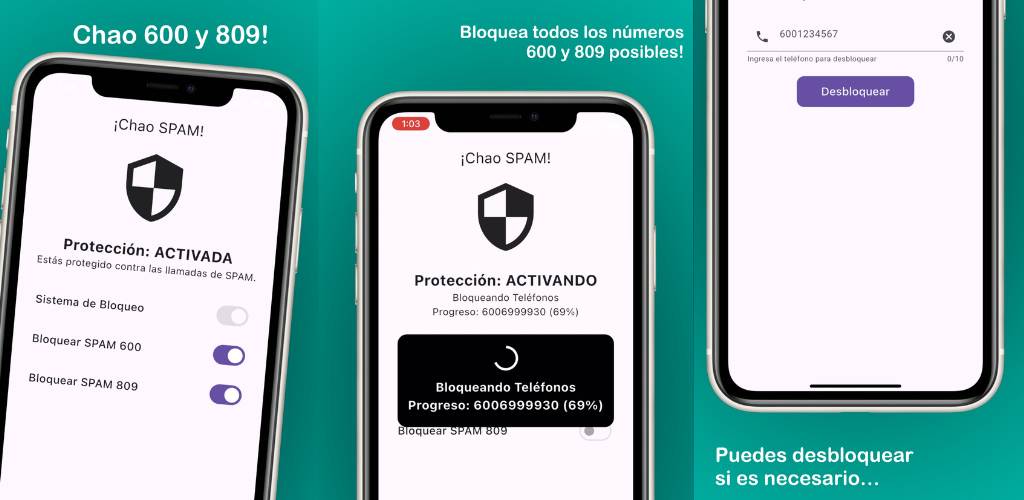
Block 600 and 809 calls on iPhone (iOS) with ChaoSPAM
Introducing the new free iOS app designed to silence phone spam and protect you from scams, with a special focus on annoying Chilean numbers.
November 28, 2025
How to Block a Number on Movistar Chile: Step-by-Step Guide
Learn how to block a number on Movistar Chile from iPhone and Android. Device methods and ChaoSPAM for automatic spam blocking.
April 23, 2026
How to Block a Number on WOM Chile: Complete Guide
Learn how to block a number on WOM Chile from iPhone and Android. Device options and ChaoSPAM for automatic spam blocking.
April 23, 2026