How to Block a Number on WOM Chile: Complete Guide



You’re a WOM customer in Chile and you’re receiving spam calls, telemarketing, or simply want to block a specific someone. Your carrier has limited capabilities for individual blocking, but your phone’s operating system and specialized apps give you all the control you need.
What Can You Do as a WOM Customer to Block Calls?
Individual number blocking in Chile is not managed through the carrier on standard mobile plans. WOM, like Entel, Movistar, and Claro, doesn’t offer a personalized blacklist service by number for residential customers. Effective blocking happens at the phone level.
What WOM can do in extreme cases is assist you if there is documented phone harassment or fraud in their name. For that, contact customer service directly.
For daily use, the tools are:
- Native iPhone or Android settings: number-by-number blocking
- ChaoSPAM: automatic blocking of spam prefixes like 600, 800, and 809
How to Block a Number on WOM from iPhone
The process is the same as with any carrier, since it occurs in iOS:
Method 1: From Call History
- Open the Phone app
- Go to the Recents tab
- Tap the ⓘ button to the right of the number you want to block
- Scroll to the bottom and tap Block this Caller
- Confirm with Block Contact
From that moment, that number cannot make your phone ring, send you SMS, or contact you via FaceTime.
Method 2: From the Contacts App
If the number is saved:
- Open Contacts
- Find the contact
- Scroll to the bottom and tap Block this Contact
Managing Blocked Numbers on iPhone
To view or edit your blocked number list: Settings > Phone > Blocked Contacts
How to Block a Number on WOM from Android
Android allows blocking from the phone app. Steps vary slightly by device brand:
General steps:
- Open the Phone app
- Find the call in Recents
- Long press the number or tap to see details
- Select Block number or Add to rejection list
On Samsung with WOM:
- Phone > Recents > tap the number > ⋮ > Block
On Xiaomi/Redmi:
- Phone > Recents > long press the number > Block
On Motorola:
- Phone > Recents > long press > Block/Mark as spam
To manage blocked numbers: Phone > Settings > Blocked numbers
The Mass Spam Problem on WOM: Why Individual Blocking Isn’t Enough
If you’re a WOM customer frequently receiving spam calls, you’ve probably noticed that blocking one number doesn’t solve the problem: the next day a different number calls, same type of call.
Telemarketing and collection call centers operate with hundreds of available lines. When one is blocked, they move to the next. Blocking one by one is like emptying the sea with a cup.
The real solution is blocking by pattern, not by individual number.
ChaoSPAM: The Solution for Mass Spam on WOM
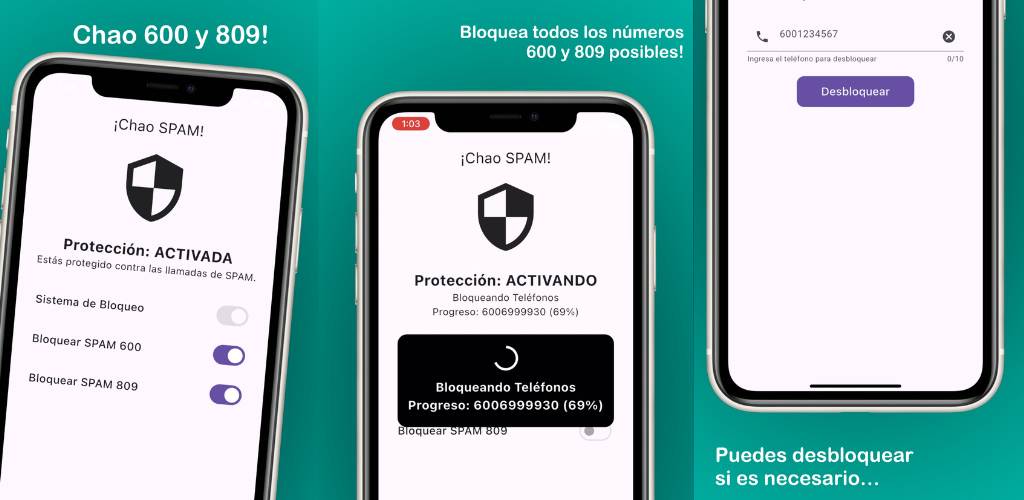
ChaoSPAM is a free app for iPhone and Android that automatically blocks the most problematic prefixes in Chile:
- 600: customer service lines used for telemarketing and collections
- 800: free corporate lines also used in outbound campaigns
- 809: value-added services frequently associated with dubious practices
ChaoSPAM works at the operating system level, not the WOM network, so it’s compatible with any carrier. Once installed and activated:
- Your phone doesn’t ring when a call from a blocked prefix comes in
- The screen doesn’t light up
- You don’t receive a missed call notification
- Your battery and performance are not affected
Your contacts and call data never leave the device: the app operates completely locally.
Specific Blocking Cases on WOM
Blocking Commercial Calls from WOM Itself
Sometimes the spam doesn’t come from outside: WOM (like any carrier) may contact you to offer plan upgrades, additional services, or billing information. If you want to avoid these calls:
- Contact WOM at 600 600 9666 and request to be excluded from marketing campaigns
- You can also indicate this through WOM’s digital channels
This doesn’t guarantee immediate cessation, but it’s the right channel to make the request.
Blocking Collection Calls from Third Parties
If you receive calls from a 600 number claiming to be a collection company related to WOM or any service:
- Verify the debt directly with WOM before providing any data
- You can block the collection company’s number from your phone
- If you believe it’s fraud, report it to WOM and SUBTEL
How to Contact WOM to Report Spam or Harassment
If the problem exceeds what you can handle from your phone:
- From your WOM mobile: *611
- From another phone: 600 600 9666
- Web: wom.cl > Support
Tips for WOM Customers Who Want Less Spam
- Install ChaoSPAM as soon as possible: don’t wait for spam to become unbearable.
- Save WOM numbers in your contacts: the customer service number (*611 from WOM) and any number you’ve received legitimate communications from.
- Activate voicemail: to not miss legitimate calls from numbers you haven’t saved, even when blocking unknowns.
- Combine individual blocking + ChaoSPAM: use native blocking for specific one-off cases and ChaoSPAM for general coverage of spam prefixes.
- Check your account status in the WOM app: so you reduce your need to depend on calls for information about your plan.
Frequently Asked Questions
Does ChaoSPAM work with my WOM prepaid line? Yes. ChaoSPAM operates at the phone level and doesn’t distinguish between prepaid and postpaid, or between carriers. It works equally with WOM prepaid, postpaid, or any other SIM.
Can WOM block specific numbers at the network level upon my request? For standard mobile plans, WOM doesn’t offer this network-level blocking service per individual customer. Blocking is managed from the device.
If I block someone, does WOM find out? No. The block is between your device and the caller. WOM doesn’t record or process this information.
Do blocked spam calls I block affect my plan minutes? No. Blocked incoming calls before being answered don’t consume plan minutes.
Can I block a number from the official WOM app? The WOM app is oriented toward plan management (balance, billing, services). Number blocking is done from the phone’s operating system app or with specialized apps like ChaoSPAM.
Does ChaoSPAM work abroad with my WOM SIM on roaming? ChaoSPAM operates at the phone operating system level. In roaming, incoming calls pass through the local foreign network before reaching your phone, so behavior may vary. For regular use in Chile, it works with full effectiveness.
Stop Receiving Unwanted Calls on Your WOM Line
Phone spam is not a problem exclusive to any carrier: it affects all telecom users in Chile. With ChaoSPAM and your phone’s native settings, you have all the tools to regain control, whether you’re a WOM, Entel, Movistar, or any other carrier customer.
You might also like
Block Spam Calls from Chilean Carriers on iPhone and Android
Block 600 and 809 spam calls from Entel, WOM, Movistar, Claro and other Chilean carriers on iPhone and Android, for free with ChaoSPAM.
March 5, 2026
How to Block a Number on Movistar Chile: Step-by-Step Guide
Learn how to block a number on Movistar Chile from iPhone and Android. Device methods and ChaoSPAM for automatic spam blocking.
April 23, 2026
How to Block a Number on Entel: Complete Guide for Chile
Learn how to block a number on Entel from your iPhone or Android. Device settings and ChaoSPAM for automatic spam blocking.
April 23, 2026